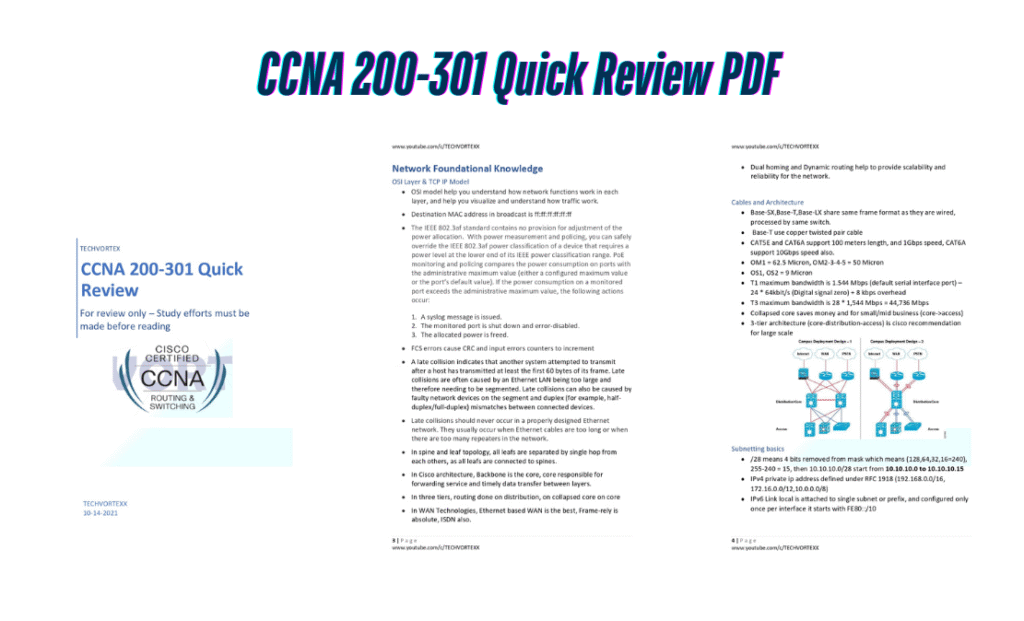
CCNA 200-301 Quick Review For review only – Study efforts must be made before reading
Introduction
The CCNA 200-301 certification is your gateway to networking expertise—but with so many topics to master, last-minute reviews can feel overwhelming. Enter the CCNA 200-301 Quick Review PDF, a 50-page condensed guide designed to reinforce your knowledge before exam day. Note: This is a review tool—pair it with hands-on study for best results!
Why Use This Quick Review?
- Concise & Focused: Covers all exam topics in 50 pages—no fluff.
- Exam-Aligned: Matches Cisco’s CCNA 200-301 blueprint.
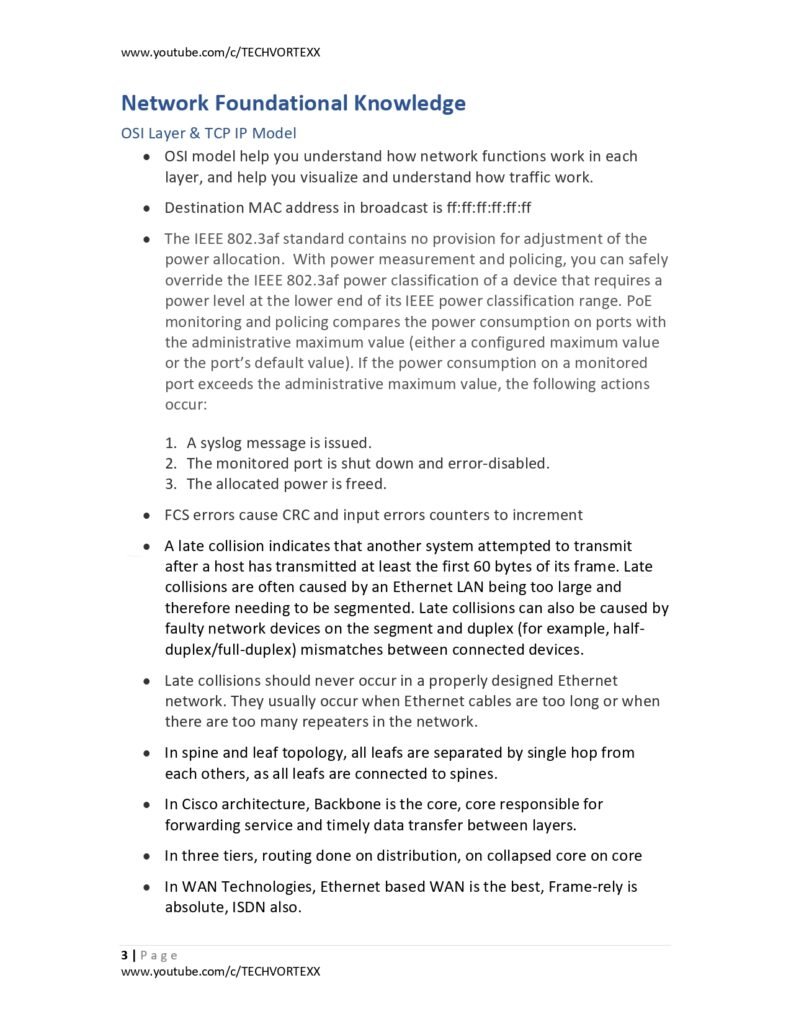
- Visual Aids: Key tables, diagrams, and summaries for fast retention.
- Free & Portable: Perfect for quick refreshers on the go.
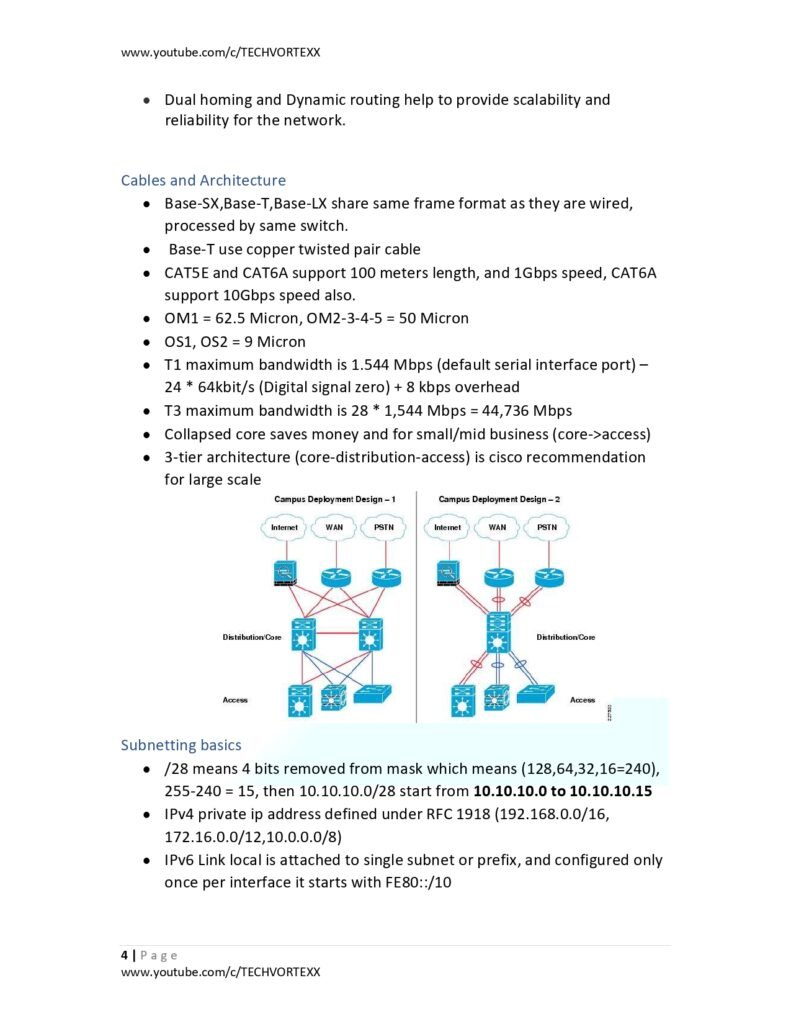
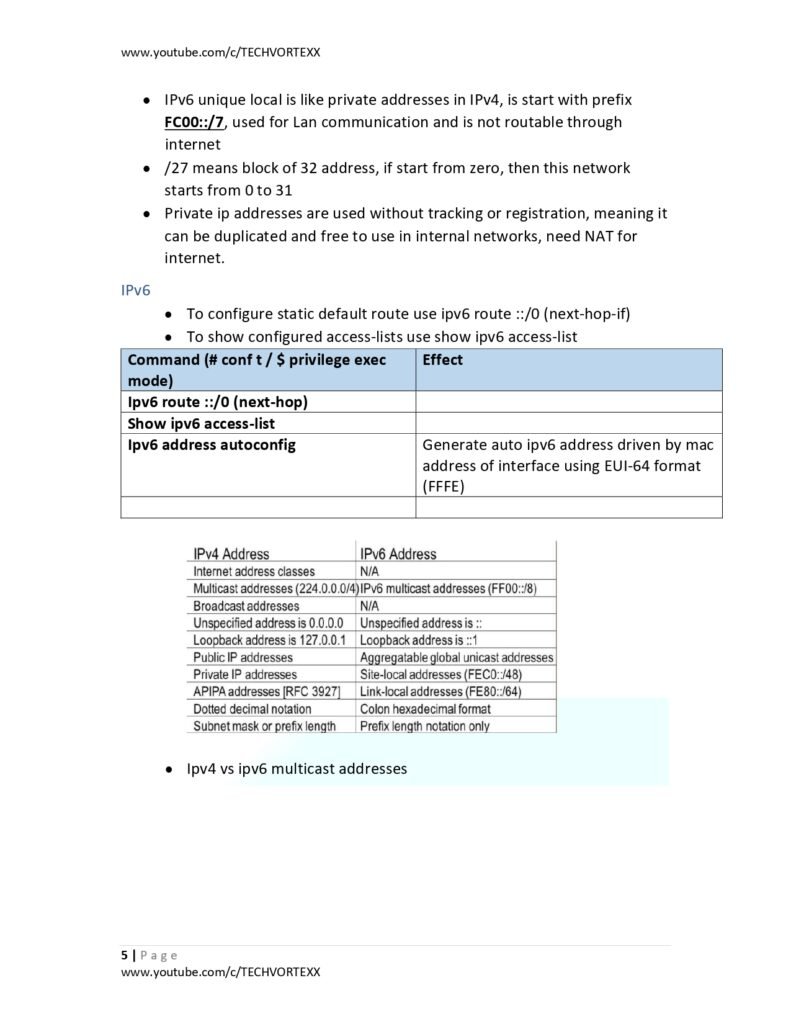
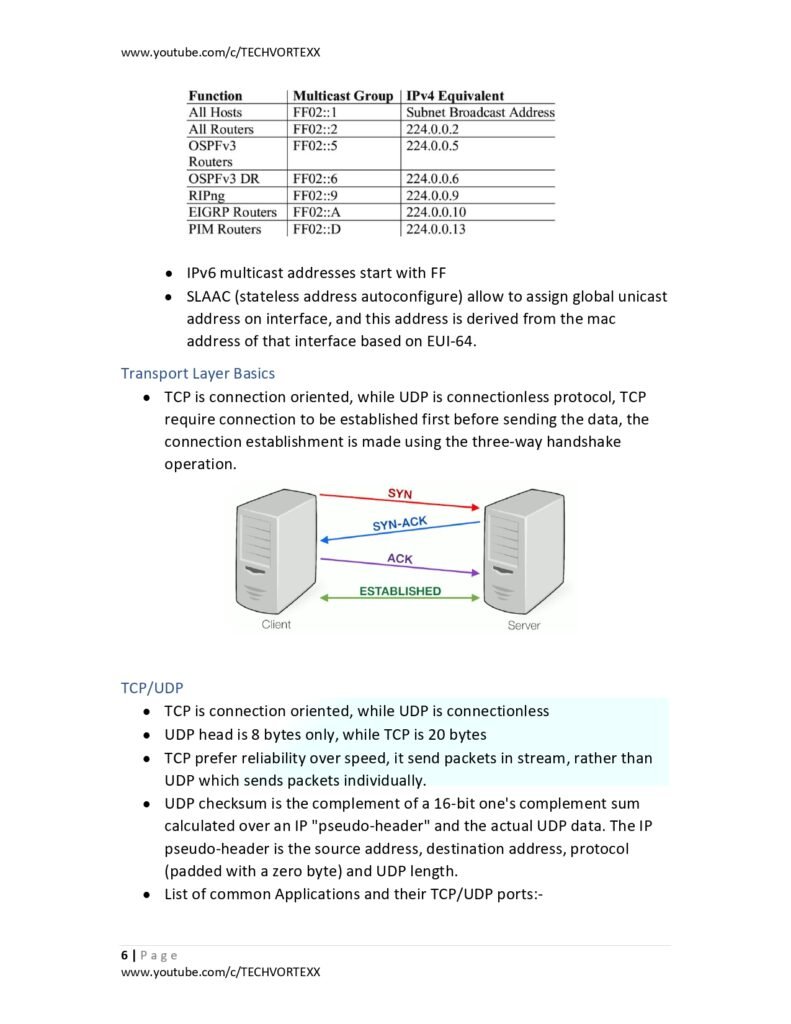
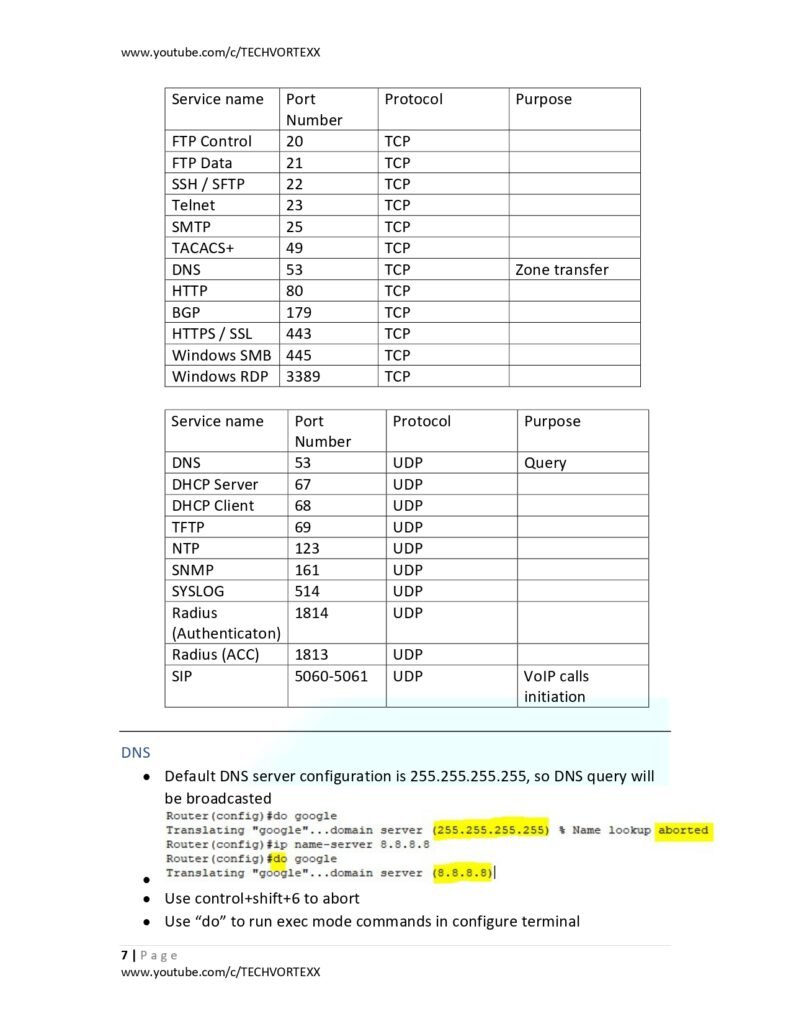
What’s Inside the PDF?
1. Network Fundamentals
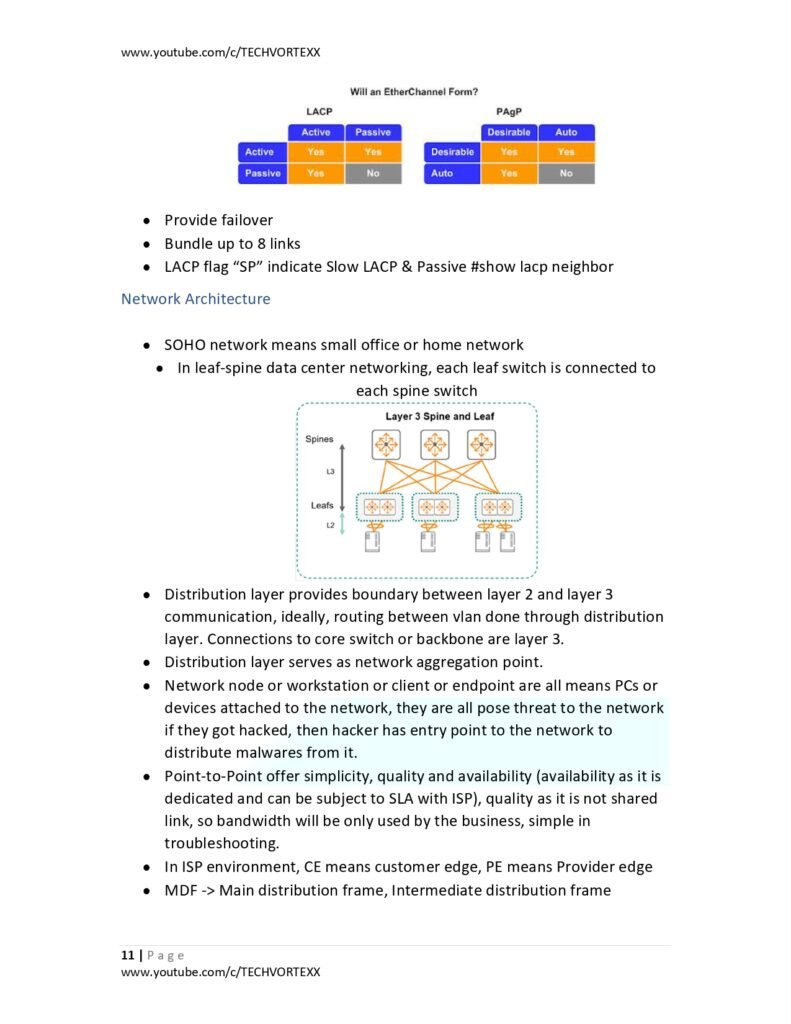
- OSI & TCP/IP Models | IPv4 Subnetting | IPv6 Basics
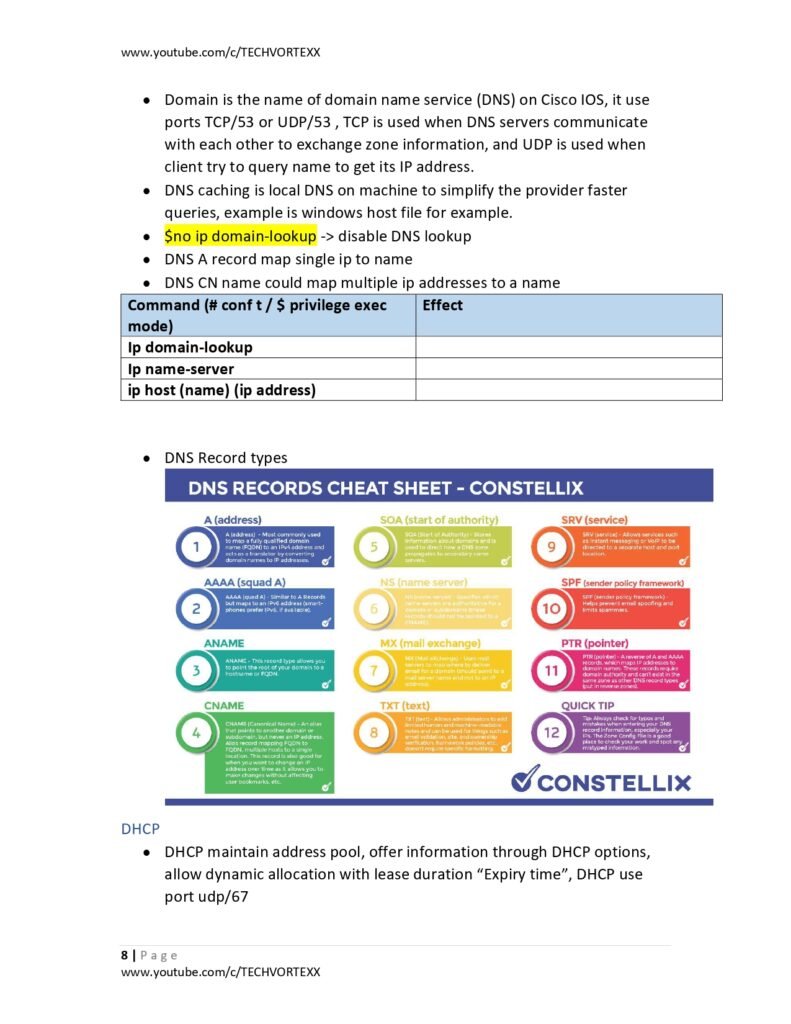
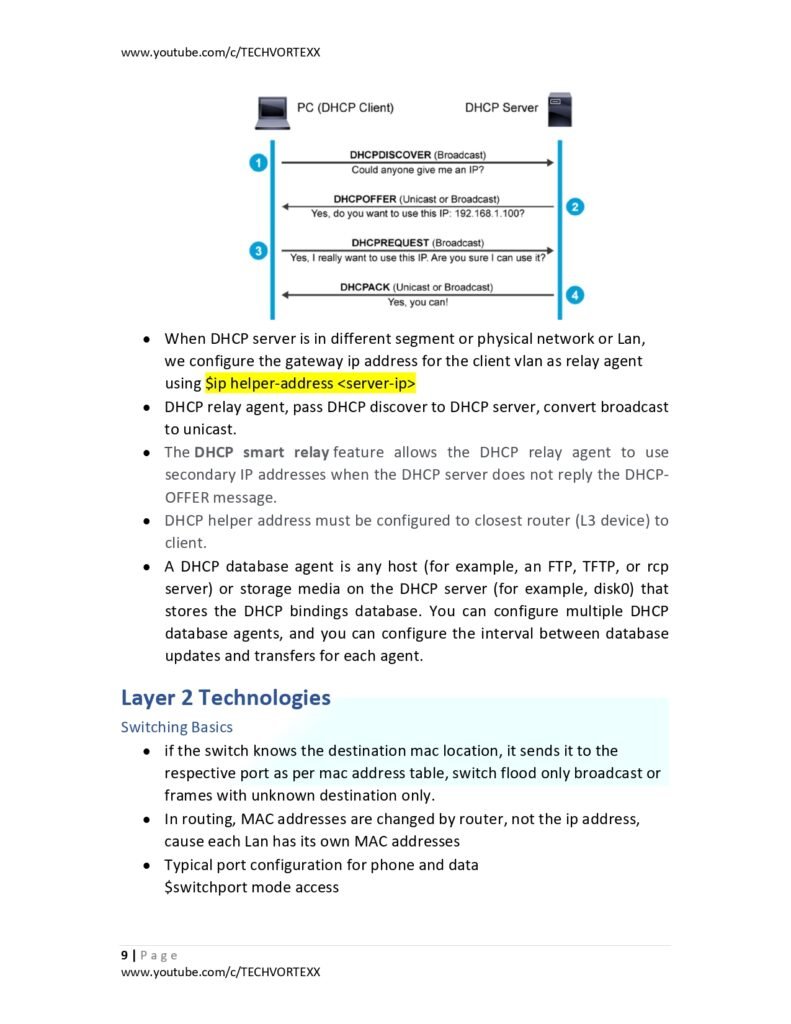
- TCP vs. UDP | DNS & DHCP | Cabling & Architecture
2. Layer 2 Technologies
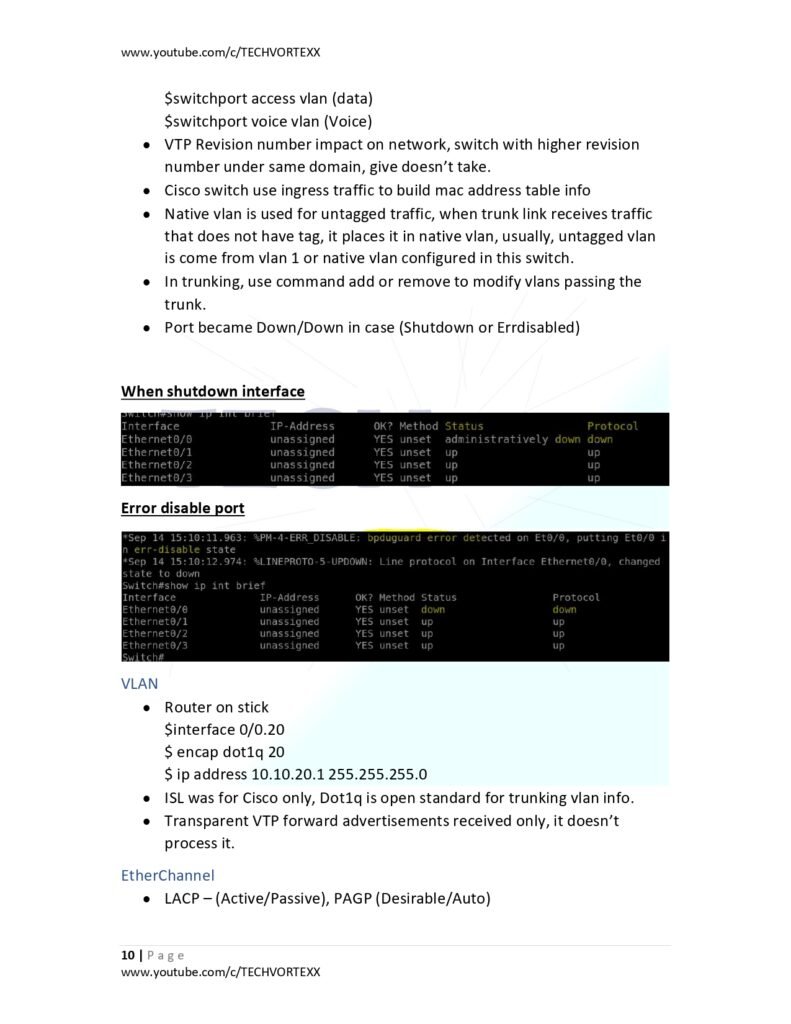
- VLANs | EtherChannel | STP (Spanning Tree Protocol)
- FHRP (HSRP/VRRP/GLBP) | Wi-Fi Basics | CDP/LLDP
3. Layer 3 Technologies
- Routing Basics | Admin Distance Table | OSPF/EIGRP
- NAT (Network Address Translation) | QoS | SNMP/Syslog/NTP
4. Security Essentials
- Access Control Lists (ACLs) | IPsec VPNs | AAA Authentication
- RADIUS vs. TACACS+ | Port Security | DHCP Snooping | Dynamic ARP Inspection
5. Automation & DevOps Basics
- SDN (Software-Defined Networking) | Cisco DNA Center
- Ansible/Chef/Puppet | JSON/XML/YAML Data Formats
6. Cloud & Virtualization
- Cloud Service Models (IaaS, PaaS, SaaS) | Virtual Network Components
Who Should Use This Guide?
- 🔹 CCNA Candidates: Crush last-minute reviews before the exam.
- 🔹 Professionals: Brush up on Cisco tech for job roles or interviews.
- 🔹 Students: Complement coursework with a structured summary.
- 🔹 Career Changers: Fast-track foundational networking knowledge.
How to Download
Click the link below to grab your FREE CCNA 200-301 Quick Review PDF:
[Download Your Free PDF Here]
Final Thoughts
This guide is your Swiss Army knife for CCNA review—not a substitute for hands-on study. Pair it with labs (try Cisco Packet Tracer!) and official resources for maximum impact.
Pro Tip: Use the Admin Distance table and subnetting shortcuts for rapid problem-solving!
Questions? Drop a comment below—we’ll help you troubleshoot! 💬